

TradeCopier
Help Guide
NinjaTrader8 Add-on
What is ETP NinjaTrader8 add-on?
The ETP NT8 add-on lets you easily connect to NinjaTrader 8 and copy trades between accounts linked to your NinjaTrader setup. It streamlines trade management across multiple platforms, enhancing your overall trading efficiency.
How to install and import the NinjaTrader 8 addon for ETP Trade Copier:
Steps to import the ETP Trade Copier NT8 Add-on:
1. Download the ETP Trade Copier NinjaTrader 8 addon file from the ETP website.
2. Download and open the NinjaTrader 8 platform. Make sure that the platform version is 8.1.0.0 or higher.
3. In the control center panel of NinjaTrader, navigate to the ‘Tools’ tab, select ‘Import’, and click on ‘NinjaScript Addon’

4. It will open a separate window to import a file from your PC, locate the ‘ETP_TradeCopier_NT8_AddOn’ file, and open it.
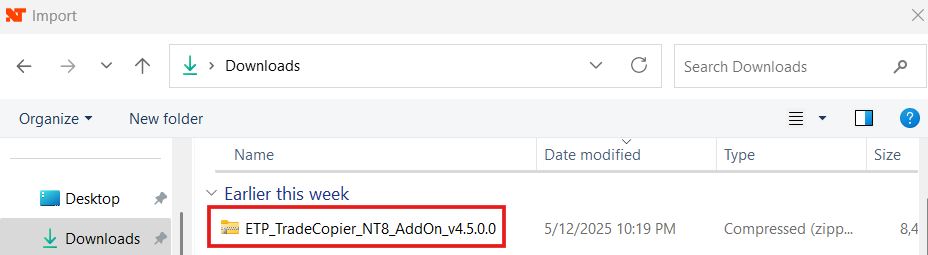
5. Select ‘Yes’ to give authorization for the connection, and restart the NinjaTrader 8 platform.
6. Now open the ‘Tools’ tab again, and you will notice the ‘ETP Trade Copier – Disconnected’ at the bottom. Click on it and it will be enabled.
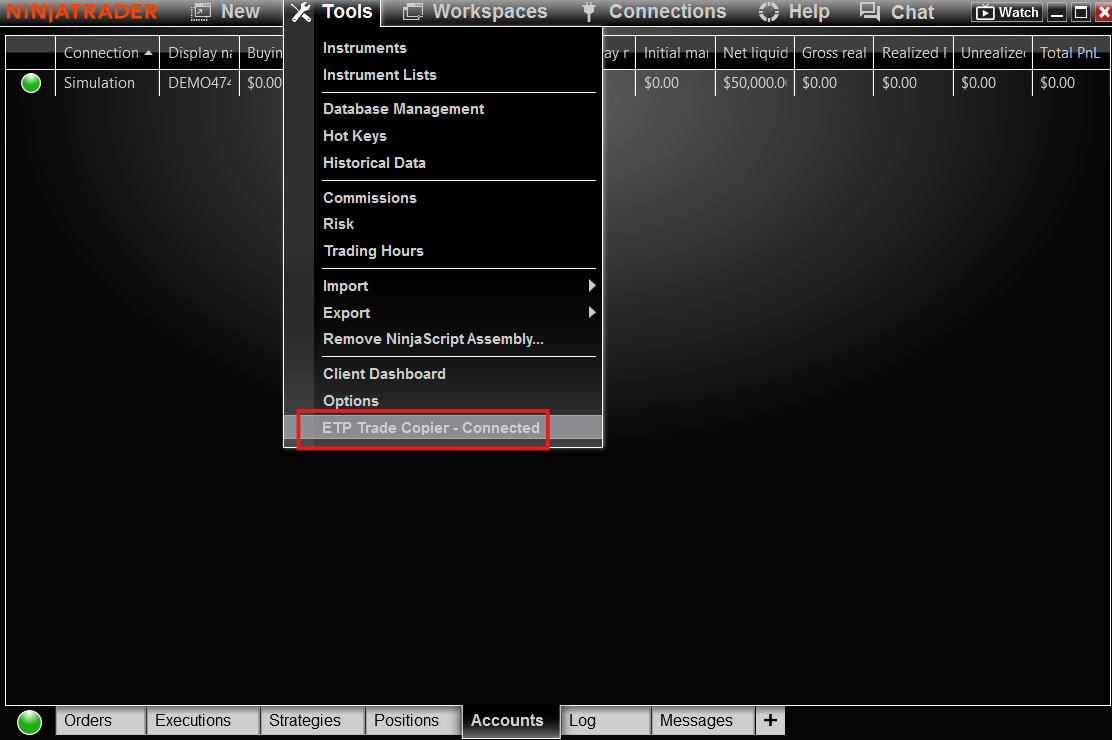
Is it possible to make a direct NT8 connection to ETP?
You can now connect NinjaTrader 8 directly to ETP Trade Copier, allowing for seamless trade copying between accounts. This enhancement lets traders take full advantage of NinjaTrader 8 while using ETP Trade Copier’s advanced tools to manage multiple accounts efficiently.
How to link Ninjatrader and ETP copier?
1. Open NinjaTrader’s Control Center and ensure you’re connected to ‘ETP Trade Copier’ under the ‘Tools’ tab. Also, verify that you have an active market data connection under the ‘Connections’ tab in NinjaTrader 8.
2. Launch the ETP Trade Copier and add a new connection for NinjaTrader. You can name it ‘NT8 Direct’. Since it’s a direct integration, you can skip the Username and Password fields. Simply select ‘NinjaTrader 8’ as the broker directly and save the connection. Then, connect the NT8 Direct profile.


What to do when the NT8 direct connection fails?
Connection failures typically occur when NinjaTrader is not updated to a version compatible with the ETP Copier. To resolve this, we recommend updating NinjaTrader to the latest supported version.
You can download or update to the latest version of NinjaTrader using the following link:
https://support.ninjatrader.com/s/article/NinjaTrader-Desktop-Installation-Guide?language=en_US
Can I use the direct NinjaTrader connection for my non-Rithmic NinjaTrader account while copying?
Yes, you can connect non-Rithmic NinjaTrader accounts with ETP. On NinjaTrader8, add the non-Rithmic accounts, and make the direct NT8 connection on the copier.
I’m getting a missing dll error while updating NinjaTrader8. Is there a way to fix this error?
For all dll errors, follow the steps below:
1. Keep the Ninja Trader8 platform closed. Go to C:\Program Files\NinjaTrader 8\bin folder
2. Copy the missing Grpc.Core.Api.dll file
3. Paste that file in Documents\NinjaTrader 8\bin\Custom folder.
Once these steps are done, open the NinjaTrader8 platform, and the error will disappear.